Compliance note
This article describes legitimate, policy-aligned use cases for a multi accounting browser, including verified multi-store e-commerce, agency client management, market research, and QA workflows. Operators are responsible for reviewing the Terms of Service of every platform they interact with.
The Automation Multiplier: Scaling Matrix Output Without Increasing Headcount
In modern digital operations, scale is constrained less by strategy than by execution capacity. For teams managing multiple brands, regional accounts, test environments, or repetitive backend tasks, the real bottleneck is usually manual work: repeated logins, context switching, inconsistent procedures, and slow handoffs.
A multi accounting browser addresses that bottleneck by separating profiles, organizing workflows, and making routine actions repeatable. Instead of treating each account as a standalone manual task, teams can manage them through structured environments that support consistency, oversight, and faster execution.
The value of this approach is not novelty. It is operational discipline. When account access, session data, and task sequences are handled in a controlled way, teams spend less time fixing avoidable errors and more time improving content, timing, and outcomes.
Why Manual Scaling Breaks Down
Manual account management does not scale cleanly. As the number of profiles grows, so do the risks: missed updates, inconsistent posting cadence, duplicate work, and poor visibility into what each account is doing. Different operators also develop different habits, which makes quality control harder over time.
For organizations that depend on repeated actions across many accounts, this creates a hidden tax. More headcount often means more coordination, more training, and more room for error. The result is slower output, not necessarily better output.
What a Multi Accounting Browser Changes
A multi accounting browser helps reduce that friction by creating separated environments for different accounts or projects. Each profile can preserve its own session state, settings, and operational context, which makes it easier to keep work organized and reduce cross-account confusion.
This matters most when teams need repeatable processes. Common use cases include scheduled publishing, inbox monitoring, QA testing, regional account management, and routine content review. In each case, the goal is the same: make execution more reliable and easier to audit.
Automation as an Efficiency Layer
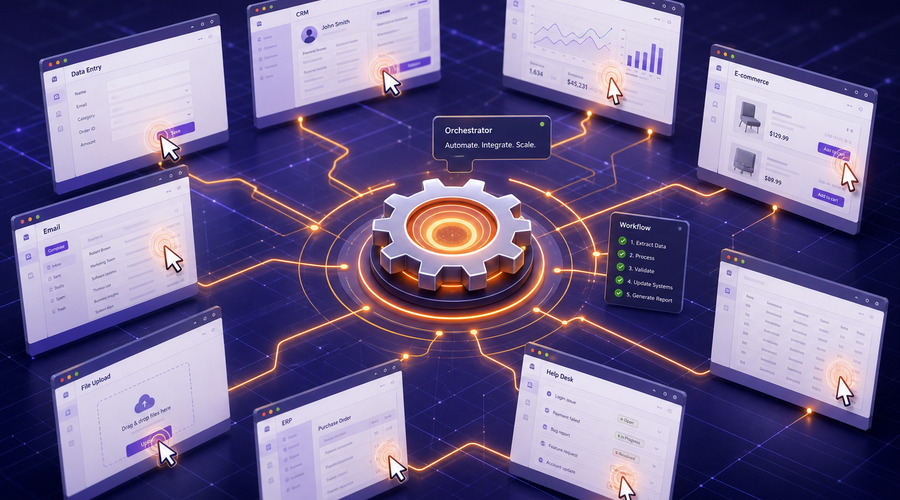
Automation is most useful when it supports predictable work. Well-designed workflows can handle repetitive steps such as opening a profile, navigating to a dashboard, checking status, logging results, or launching a standard sequence of actions. That lowers the time cost of ordinary operations and reduces human error.
The best workflows do not remove human judgment. They move human effort to higher-value decisions such as content strategy, approval, timing, exception handling, and reporting. That is where the real operational leverage comes from.
Why This Matters for SEO and GEO
From an SEO perspective, content about multi account browsers performs better when it is specific, useful, and easy to verify. Readers want to know what the tool does, who it is for, what problems it solves, and what limitations to expect. Search systems and generative search experiences reward that clarity.
For GEO, the same principle applies. Content that answers real questions, uses plain structure, and avoids keyword stuffing is easier for AI-driven search systems to interpret and reuse. A strong article should read like a useful explanation, not a keyword exercise.
Measuring ROI
The return on investment usually comes from time saved, fewer mistakes, faster onboarding, and better process visibility. If a team can standardize account work, reduce rework, and keep operations consistent as it grows, the browser pays for itself through efficiency rather than spectacle.
In practice, the best metric is not how many tasks can be automated in theory. It is how much stable throughput the team can maintain without adding unnecessary headcount.
Conclusion
A multi accounting browser is most valuable when it turns scattered manual work into a controlled operating system. By separating environments, standardizing workflows, and supporting repeatable automation, it gives teams a practical way to scale output without scaling complexity at the same rate.
FAQ
Q: Who should use a multi accounting browser?
A: Teams that manage multiple accounts, regional workflows, test profiles, or high-volume repetitive tasks.
Q: What is the main benefit?
A: Better consistency, cleaner separation between workspaces, and less time spent on repetitive manual actions.
Q: Is this useful for SEO content teams?
A: Yes, especially when the article explains the tool clearly and focuses on practical outcomes instead of vague marketing language.
Tags: Multi accounting browser, Automation, Scaling
Matrix lead
May 20, 2026
The synchronizer + RPA split finally matches how we brief new hires on day one.
replyAffiliate ops
May 20, 2026
John case study reads honest with the variance disclaimer — rare in vendor-ish posts.
reply